
Setting up the APP
Step 1: Download the app
Step 2: Create an account
Click on the SIGN UP button once you go into the app.
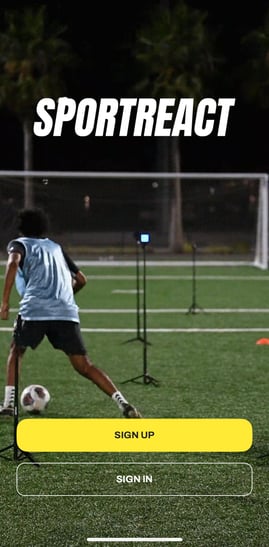
Next choose whether you will be creating a profile using your email address (recommended) or logging in with Google or Apple:
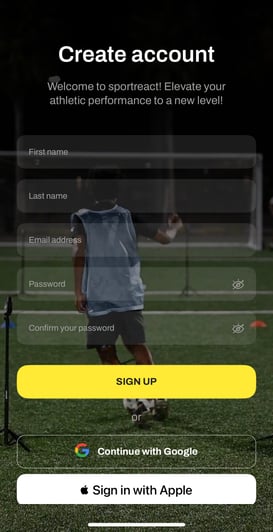
Don't forget to verify your email.
SET UP ACCOUNT:
Step 1: Choose your role- are you using the app as an athlete or a coach? This choice will change the options inside the app. Please choose your role carefully, as you cannot change it later. After that, add some basic info like your name and birthday. Feel free to keep it short or fill it with details like gender, location, and your favorite sports. The more you share, the better we can tailor the app to your liking.
Connect and sync with the app
After turning on your pods, you will need to connect and sync them to the app.
1. From the home screen, sign into the app.
2. Click on the yellow Bluetooth symbol on the top right.
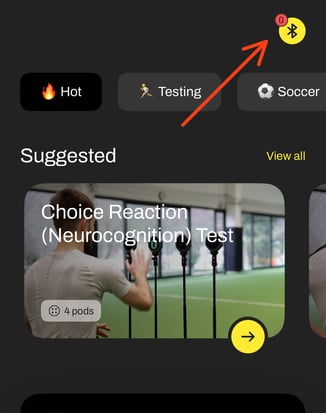
3. Be sure that your bluetooth is on and ready to find new devices.
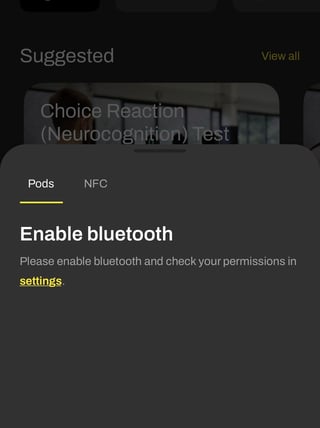
4. Once your bluetooth is on and ready and the pods are within range of the device you are using to access the app, the master pod (0) icon will appear under the Pods section:
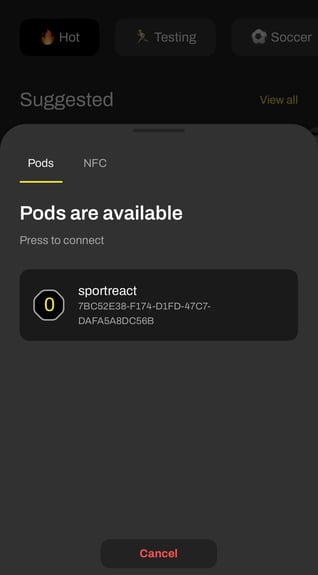
5. Click on it and press Sync at the bottom.
6. The pods will sync up and you are ready to go!
Q: Can I use the app offline?
Currently, we do not have an offline version of the app and are working on implementing it.
Q: Why can I connect the pods to my iPhone but cannot to my Android tablet?
Check that all the permissions are on- location permission and nearby devices.