
1) Press the button Create activity in Sportreact app Home screen.
2) Go to > Challenge mode.
Select challenge logic screen will show.
Select between:
Split Option: Compete Against the Clock
The Split option allows two athletes to compete against each other with their own group of pods, aiming for the highest score. This mode enables athletes to concentrate on their individual performance while maintaining the excitement and intensity of competition.
Combine option: Fight For Pods
The Combine option takes things up a notch. In this mode, all athletes share the same group of pods and compete against each other directly, making the drill more intense and competitive.
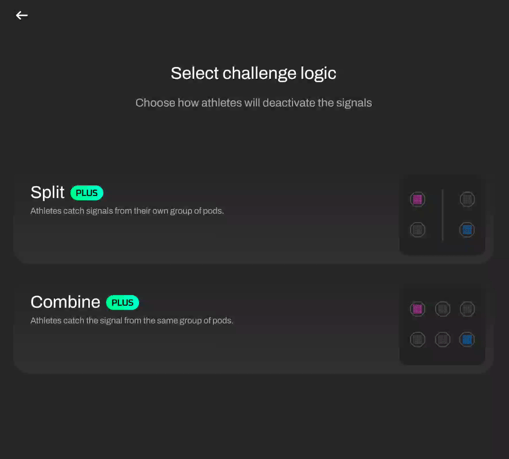
After you selected the activity, the Activity screen will open. Now it's time to select athletes you want to include in the challenge.
Open the button Choose athletes to start.
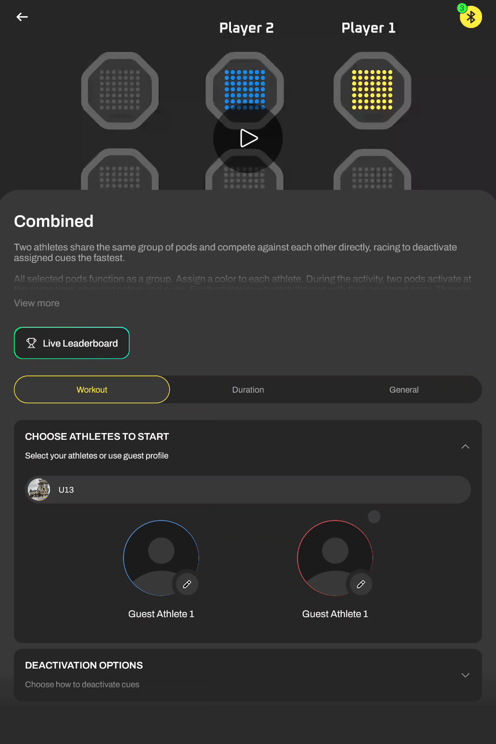
Select a team. If you have a lot of athletes you can filter down your research by pressing the All Teams button, and selecting a specific team. Or, if you want to search among all your teams, leave the All Teams option selected,

Next, select the first athlete for the challenge by pressing the Edit button next to the image 


To select an athlete, press the Edit button again  and select athletes you want to include in the drill.

Next, choose a color you'd like the athlete will react to, and that will represent him in the leaderboard graphs.
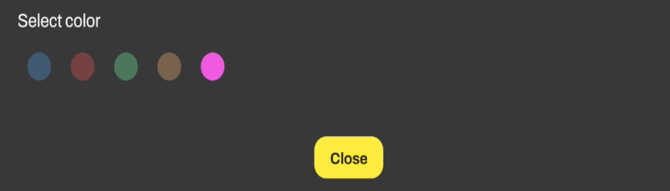
Repeat the process for the second athlete in the challenge.
After selecting 2 athletes for the challenge, press Start to start the drill.

The Activity progress screen will show, where you can track challenge results and times.
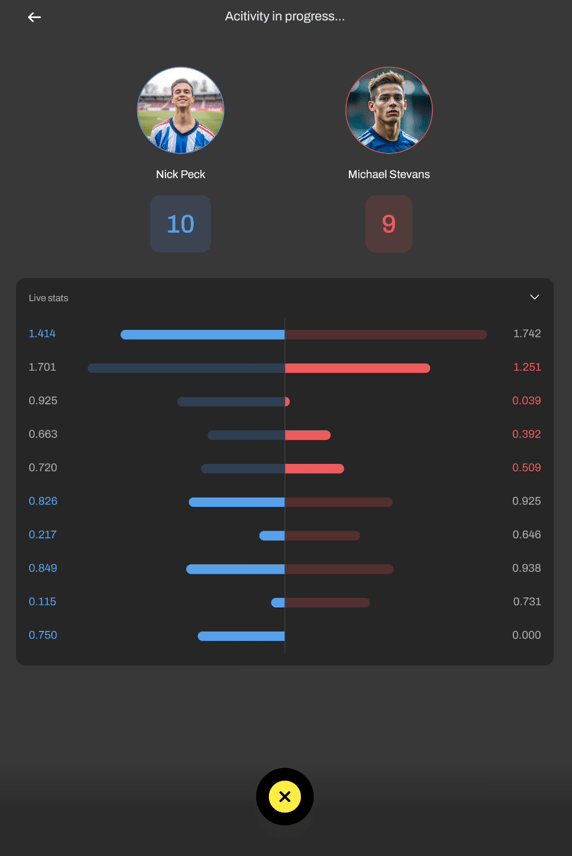
When the activity is finished, finish button will appear. Press it.
On the next screen, choose if you want to save the results.
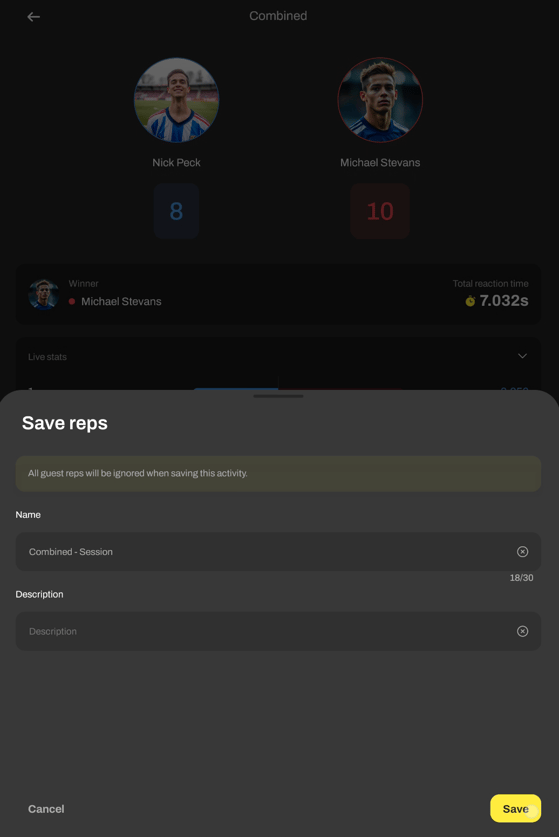
Write your session name.
Write a description of your session.
When finished, hit Save button.
You can access the results via Analytics > Activity Report > Select activity.