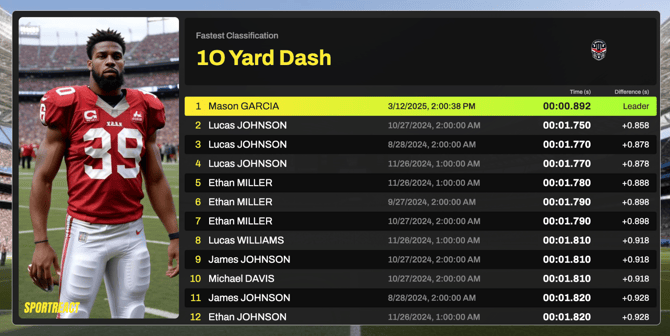
The Live Leaderboard feature lets you view and share live exercise results on any screen — from TVs to tablets to desktop browsers. Follow this guide to customize your live leaderboard with team colors, logos and images.
1) Open Live Leaderboard. This is how a new leaderboard with no results looks like. ⬇️
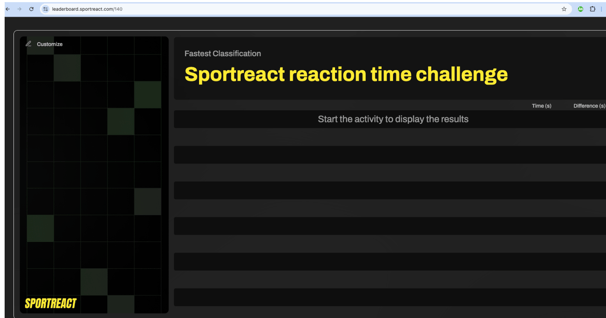
You can personalize your leaderboard screen by clicking the Customize button. You can adjust the following:
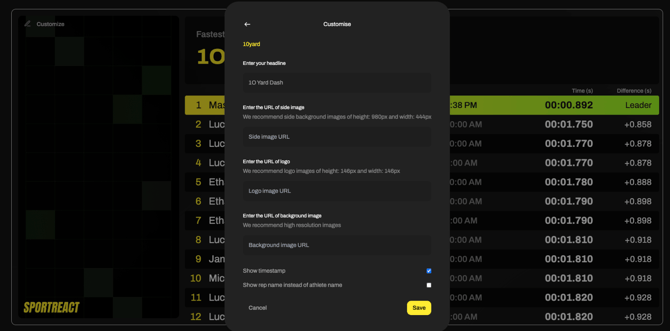
Customization Options
1) A custom headline (e.g., the name of the drill, competition, team or testing session).
2) Image 1: Side image
Recommended size: 980px (height) × 444px (width)
Insert all images by pasting their URL.
*For hosting images, you can use free and easy-to-use sites like Postimages. You simply deposit the image on Postimages, and paste the link leading to the image in the appropriate box in the Customize Leaderboard screen.
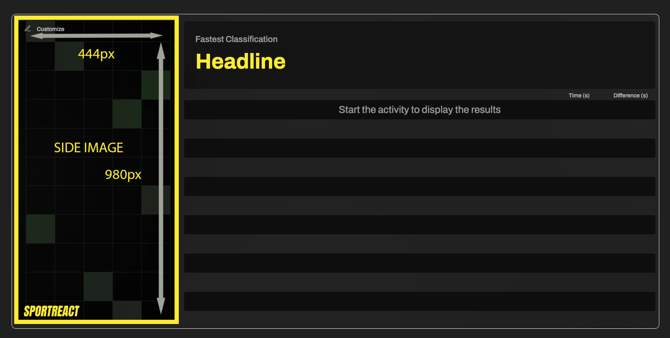
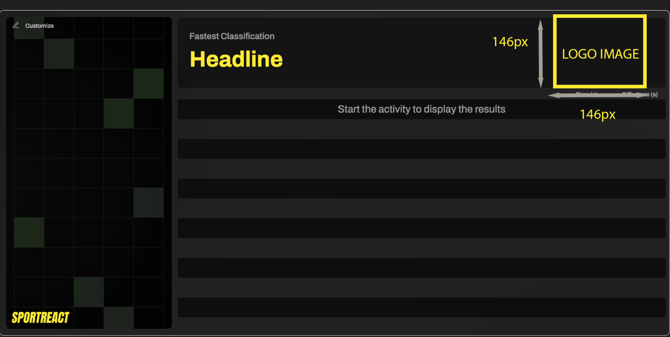
3) Image 2: Logo
Recommended size: 146px × 146pxPaste
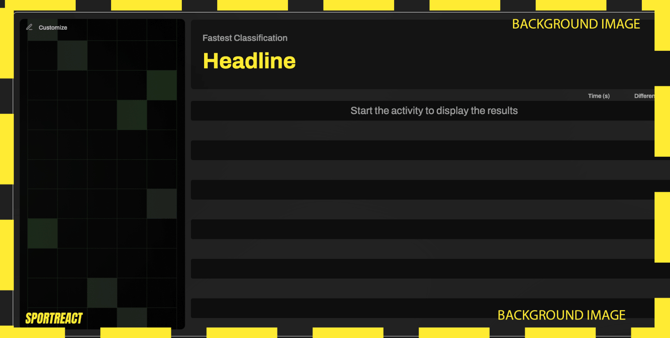
3) Image 3: Background
Use a high-resolution image for best quality
Additional options you can toggle:
Show timestamp – Displays the date and time of performance next to each result
Show rep name instead of athlete name – Useful for team-based or station-based formats
This is how your customization screen looks like when it contains all image links:
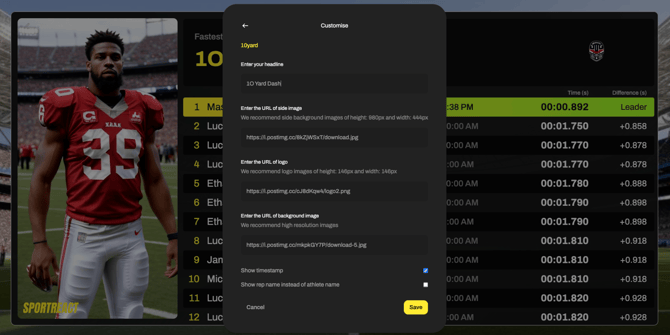
This is an example of a full customized Leaderboard screen.