
How to change units (metric/imperial)?
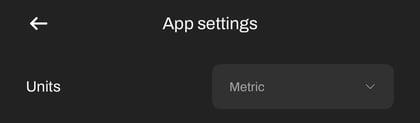
- Click on settings
- Click on app settings.
- Go to languages and choose from the provided languages- German, English, Japanese French and Chinese.
How to change language?

- Click on settings
- Click on app settings.
- In Units at the top, you can choose between Metric and Imperial.
How to turn off the personal best pop up?

- Click on settings
- Click on app settings.
- To turn off, click the OFF option. To turn back on, click the ON option
How to switch from dark to light theme?

- Click on settings
- Click on app settings.
- Toggle the Dark theme at the bottom to switch from dark to light. The light theme is best for use outdoors when the sun is shining.