
Where to Find Normative Data:
- Go to Analytics in the app.
- Select Athlete Profiling.
- Choose the relevant tests.
- Click View More to explore normative data comparisons.
✅ What is Normative Data?
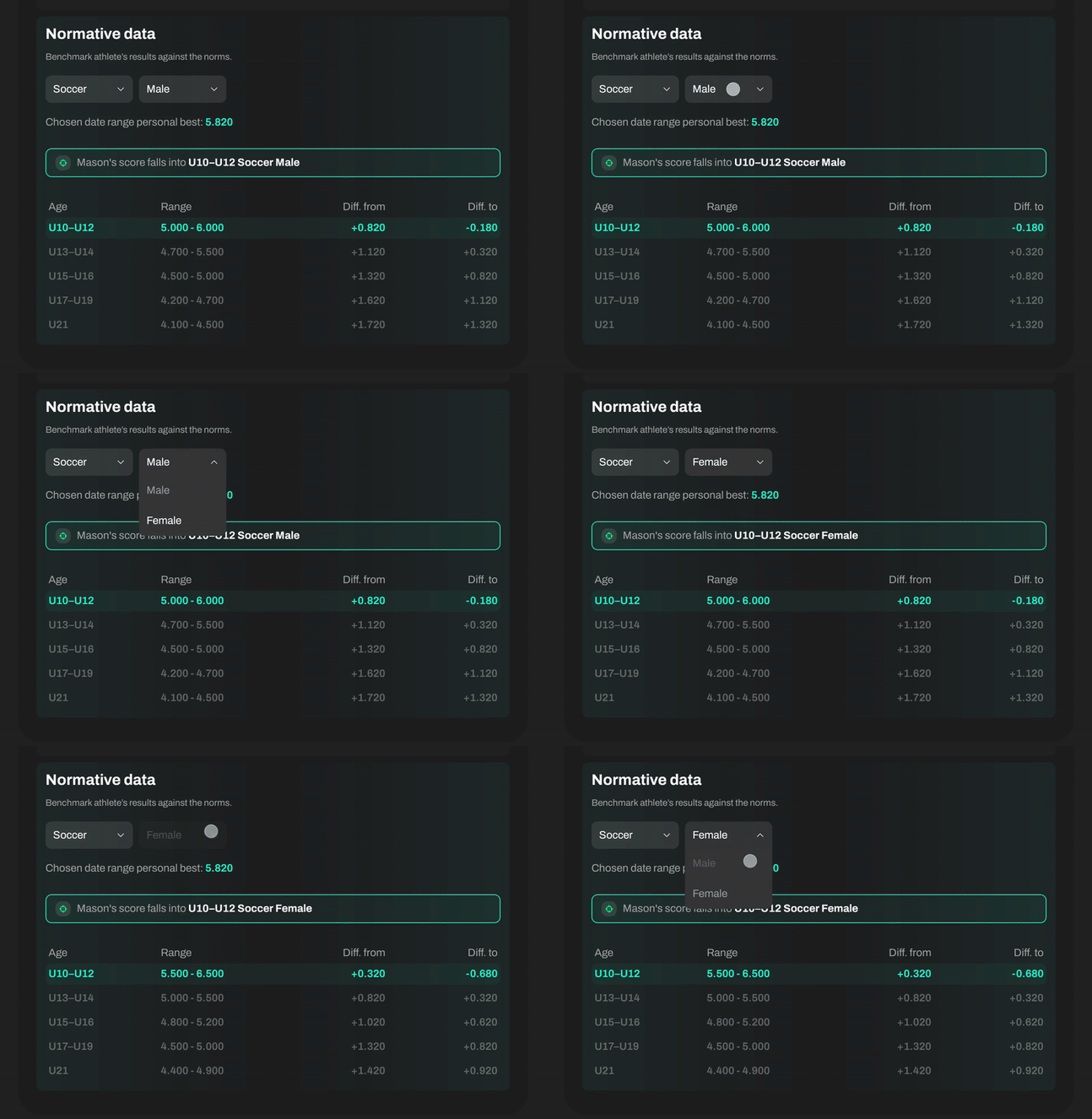
In the Athlete Profiling section, you’ll find a Normative data table that:
- Compare your athlete’s best results to the standard benchmarks.
- Displays relevant data for the athlete’s age and higher age groups.
- Marks all categories the athlete fits with a green highlight.
- Show how far an athlete is from performing at the level of older or more advanced groups.
This makes it easy to spot athletes who are exceeding expectations or on track to outperform older age groups.
⚙️ By default, Sportreact PLUS compares results to data that matches the athlete’s profile: age, sex, and sport.
Want to compare with other groups (e.g., different sports or sexes)? Use the buttons at the top of the screen to adjust the view.
Benchmark against the norms is available for following tests:
Sprint Test 10-20-30 Meter
T Agility Test
Arrowhead Agility Drill
20 Meter Agility Test (5-10-5 Test)
505 Agility Test
Sprint Test 15-30 Meter
Zigzag Running Drill
Cone Agility Test (L Agility Test)
Illinois Agility Drill
For the following reactive tests, reference values are determined based on the average performance metrics of athletes utilizing the application:
Stop'N'Go Reactive Agility Test
Y-Agility Test