
Open Teams and Athletes
- Open Settings.
- Select Teams and Athletes.
- Open My Team.
A default team called My Team is automatically created for you.
Inside the team, you can access:
- Team Overview
- Coaches
- Athletes
- Analytics Overview
From the Team Overview, you can also edit the team information, manage administrators, or delete the team.
Add an Athlete
- Open the Athletes section.
- Tap Add.
- Choose how you want to add the athlete.
Available options may include:
- Create a new team member
- Import an existing Sportreact user
- Send an email invitation
- Import an athlete from another team
To create a new athlete profile:
- Select Create a New Team Member.
- Enter the athlete’s information.
- Tap Save.
The athlete will now appear in your team.
Repeat these steps to add the remaining athletes.
View and Manage an Athlete Profile
Tap an athlete’s name to open their profile.
Depending on your access, you can view:
- Performance highlights
- Activity history
- Profile information
- Saved results
You can also edit or delete profiles that you manage.
Share a Profile With an Athlete
You can allow an athlete to claim and access their profile.
- Open the athlete’s profile.
- Tap Share.
- Enter the athlete’s email address.
- Send the invitation.
Once the athlete claims the profile, they can access the activities and results you have recorded together.
You will no longer be able to change information that is managed privately by the athlete.
Add a Coach
- Open the Coaches section.
- Tap Add.
- Create a new coach profile, import an existing user, or send an invitation.
- Add the coach to the team.
Coaches are not automatically assigned as team administrators.
To give a coach administrator access, open their profile and update their team permissions.
Create Another Team
- Return to Teams and Athletes.
- Tap Create New.
- Enter the team information.
- Add the relevant athletes and coaches.
- Save the team.
You can create separate teams for different groups, sports, locations, or training programs.
If you want to add another coach to an existing team, you can do this directly from the Teams & Athletes section in the Sportreact app.
Steps
- Go to Settings.
- Click on Teams & Athletes.
- Select the team you want to add the coach to.
- Next to Coaches, click the yellow Add button.
- You will now have several options, among those are:
Import team member’s ID- Use this option if you already know the coach’s team member ID.
Send invite to team member- Use this option if you do not know the coach’s ID. - If you do not know the coach’s ID, select Send invite to team member and enter the coach’s email address.
- Send the invitation.
Once the coach accepts the invite:
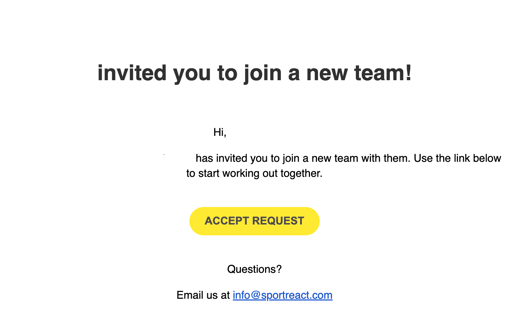
they will be added to the team
Can multiple coaches run sessions at the same time?
Yes. You can run multiple Sportreact sessions simultaneously on different phones.
There are two ways to do this:
- Same account: Log into the same Sportreact account on both phones and run each session separately.
- Different coach accounts: Each coach can use their own Sportreact account. Simply make sure both coaches are added to the same team before starting the sessions.
As long as the sessions are run for athletes within the same team, results from both devices will be saved together and included in the same team and athlete reports.
For example, one coach can run a 3-pod session on one side of the facility while another coach runs a separate 3-pod session on another phone. Both sets of results will still contribute to the same athlete history and team reporting.